Pre-defined Searches
Last updated: June 3, 2026
Pre-defined search pages let you showcase a curated category of listings — condos, detached homes, listings in a specific neighbourhood, and so on — making it easier for potential clients to find relevant properties quickly.
You can create a page pulling from the full MLS filtered to your preferred criteria, or a page displaying only your own listings.
To add a pre-defined search page:
Select the Page Editor dropdown in the top-left corner of the website panel.
Choose + New Page and select the appropriate listings page type (for example, Listings Search on a Map).
Enter a title for the page (for example, Condos) and click + Add Page.
Once the page is created, select Edit and apply your preferred filters — such as property type and building style.
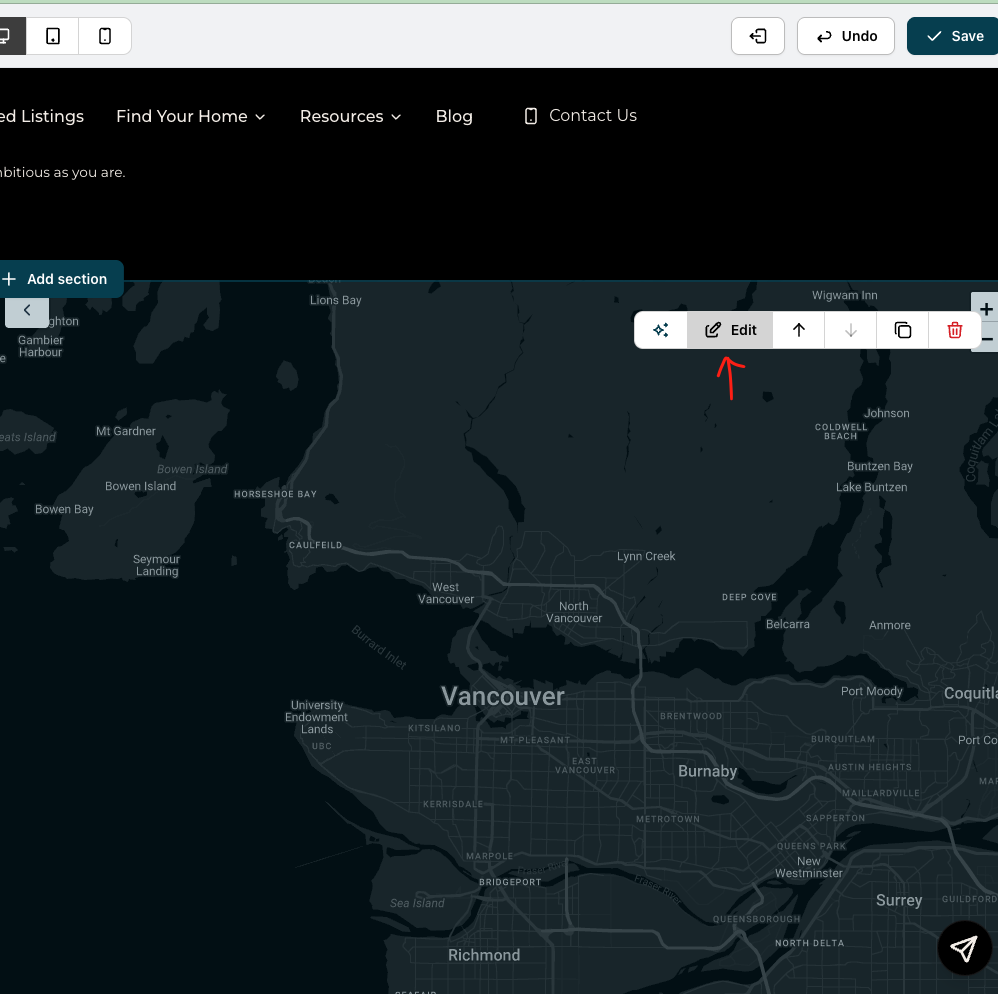
The Edit Button will open your filter selection. 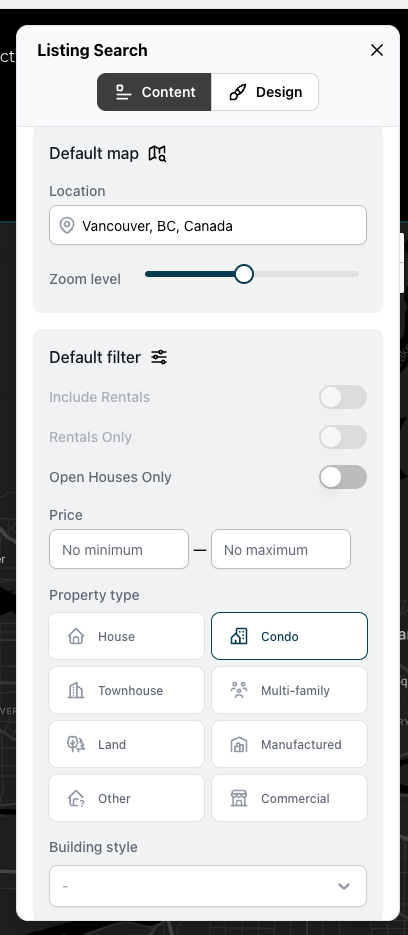
You can select the center of the map, zoom level, and other filters. Click Save.
You can also add a listings block to an existing page and apply filters there, rather than creating a dedicated page.