Domains
Last updated: June 25, 2026
Connecting Your Domain
Your Starter site is hosted on an Avenue subdomain based on your business name — for example, businessname.sites.avenuehq.com. Upgrading to a paid plan unlocks the ability to connect a custom domain so your site lives at your own URL.
Before you begin, you'll need:
An active paid Avenue subscription
A domain purchased from a registrar of your choice
Popular registrars include GoDaddy, Namecheap, and Porkbun. We recommend comparing options before purchasing, as pricing and management tools vary.
To connect your domain:
Select Website from the left navigation, then Domains from the top navigation.
Click + Connect Domain and enter your domain (for example, holmesrealestate.com).
Follow these (which also appear in the popup) to add the required DNS records to your domain registrar.
To connect your domain, add the following DNS records on your domain registrar.
Type | Name | Value | TTL |
A | @ | 35.212.213.60 | 3600 |
CNAME | www | 3600 |
After adding the DNS records, click "Verify" to confirm that your domain is set up correctly. DNS updates can take up to 24 hours to apply, so you may have to wait.
Click Verify to confirm everything is configured correctly.
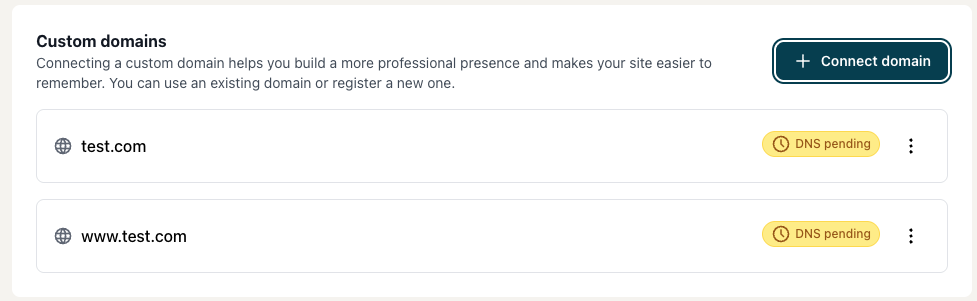
Make sure to connect both your domain with and without www to your custom domain section
How to change DNS records
For GoDaddy, check out this article.
For Porkbun, check out this article.
For Namecheap, check out this article.
If your registrar is not listed, check out their Help section for 'changing DNS records' — a quick Google search of 'change DNS Records + [domain registrar] yield an article.
DNS changes can take up to 24 hours to propagate. If your domain isn't resolving right away, check back after a few hours before troubleshooting.